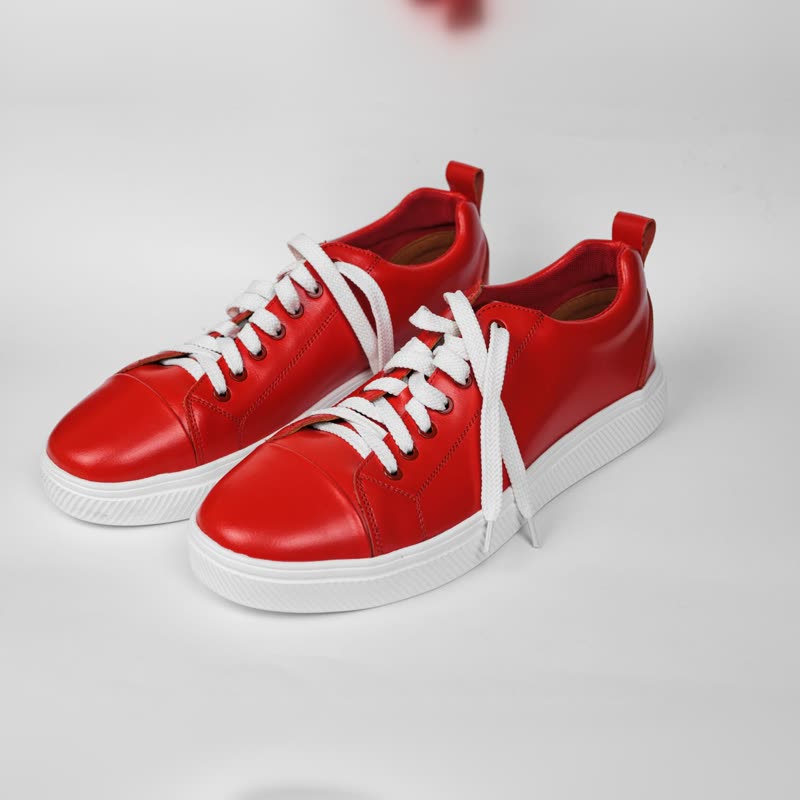
Hover image swap
Swap a WooCommerce product image on hover, through a transition instead of a jump. One block, or one switch for all shop lists. Free.
Red court low€129
 Product Slider BlockFree downloadMenu
Each page has a live demo with sample products, says what is free and what is Pro, and says where something else would serve you better.
Swap a WooCommerce product image on hover, through a transition instead of a jump. One block, or one switch for all shop lists. Free.

Show a second product image on hover in WooCommerce: what your theme may do, what CSS gives you, and what a block adds. Free options first.

Colour swatches on the WooCommerce product card: hover previews the colour, a click picks it, and the picture morphs. Try it on a sample card here.

A product page gallery block with thumbnails, a lightbox and variations that change the picture, price and stock. Zoom is a rimless lens.

Choose what a WooCommerce product picture does when pointed at: its second picture, a closer look, or nothing. A free setting of the Product Slider block.
Arrange a Product Slider block as a plain grid of WooCommerce products: same sources, same card designs, no slider. A free setting, one click to change.

A Morph Grid of products with a quick view button: picture, price, description and add to cart in a dialog, without leaving the list. Part of Pro.

A countdown on each product card in a slider, reading the real sale end date you set in WooCommerce. No fake timers. A Pro setting on the Product Slider.
A small bar on each slide shows how much stock is left, from your real WooCommerce numbers. Nothing made up, and no bar where there is no number.

Turn WooCommerce related products into a slider on the product page: a block with the source set to Related, in the template, with no shortcode. Free.

Show the upsells you set on a WooCommerce product in a slider instead of a static grid: a Product Slider block with its source set to Upsells. Free.

Show a product's cross-sells in a slider: a Product Slider with the source set to Cross-sells. What the term means, and where it can show.

A slider of your best-selling WooCommerce products that keeps itself up to date from your real sales. A free block, with no shortcode. Set up in a minute.

A slider of your on-sale WooCommerce products, updated as sales start and end, with a sale badge and old and new prices. Free; slide animations in Pro.
Show one WooCommerce category or several in a product slider, with a block instead of a shortcode. Sorted your way, and with sold-out items hidden. Free.

A product carousel you place and set up in the block editor, with no shortcodes and no page builder. Server rendered, works without JavaScript. Free.

Autoplay for a WooCommerce product slider, with a real pause button, for keyboard users too. Stops under the pointer and for reduced motion. Free.

A continuous marquee of WooCommerce products with price and add to cart, slowing under the pointer. A Pro layout, or use the Product Tape.

Views, clicks, add to carts, orders and revenue per slider and per product, in your WooCommerce admin. Daily counts, not visitors. Part of Pro.

A cart button with a live count and a panel that slides in when pressed, in block and classic themes. Try the sample on this page. Pro.

A widget on your WordPress dashboard: revenue, orders, add to carts and clicks from sliders, 7 days against the week before, with 30-day bars. Pro.